
Bring your challenges. Leave with possibilities. Save your seat for ESPC Microsoft 365 and AI Conference!
Register now

Measure what matters

Metrics like active users, prompts sent, and features used can tell you whether employees are using AI, but high usage doesn’t necessarily mean the work—or the business results—have improved.

To decide what happens next, you need to look at how the work has changed, connect it to a broader business goal, and assess how strong the evidence is. Then you can make a more informed recommendation: scale what’s working, adjust what isn’t, or stop investing in workflows that aren’t delivering enough value.

Start with your workflow results

Before you can measure business impact, you need to know whether the workflow itself improved.

If you’ve been using the AI Leader Strategy Scorecard, you already have a starting point. If not, you’ll need the same basic information:

  • The workflow you tested
  • The metric you’re tracking
  • Your starting point
  • The result you hoped to achieve

Now compare that starting point with what actually happened. For example, if sales reps previously spent 11.5 hours per week selling and the goal was to increase that time to 14 hours, where did they land after introducing the new workflow?

That answer should come from the business systems that already track the work, such as your CRM, operational reports, or another system of record. Whenever possible, use the same source and methodology as your baseline so you’re comparing like with like.

See how employees are
using Copilot

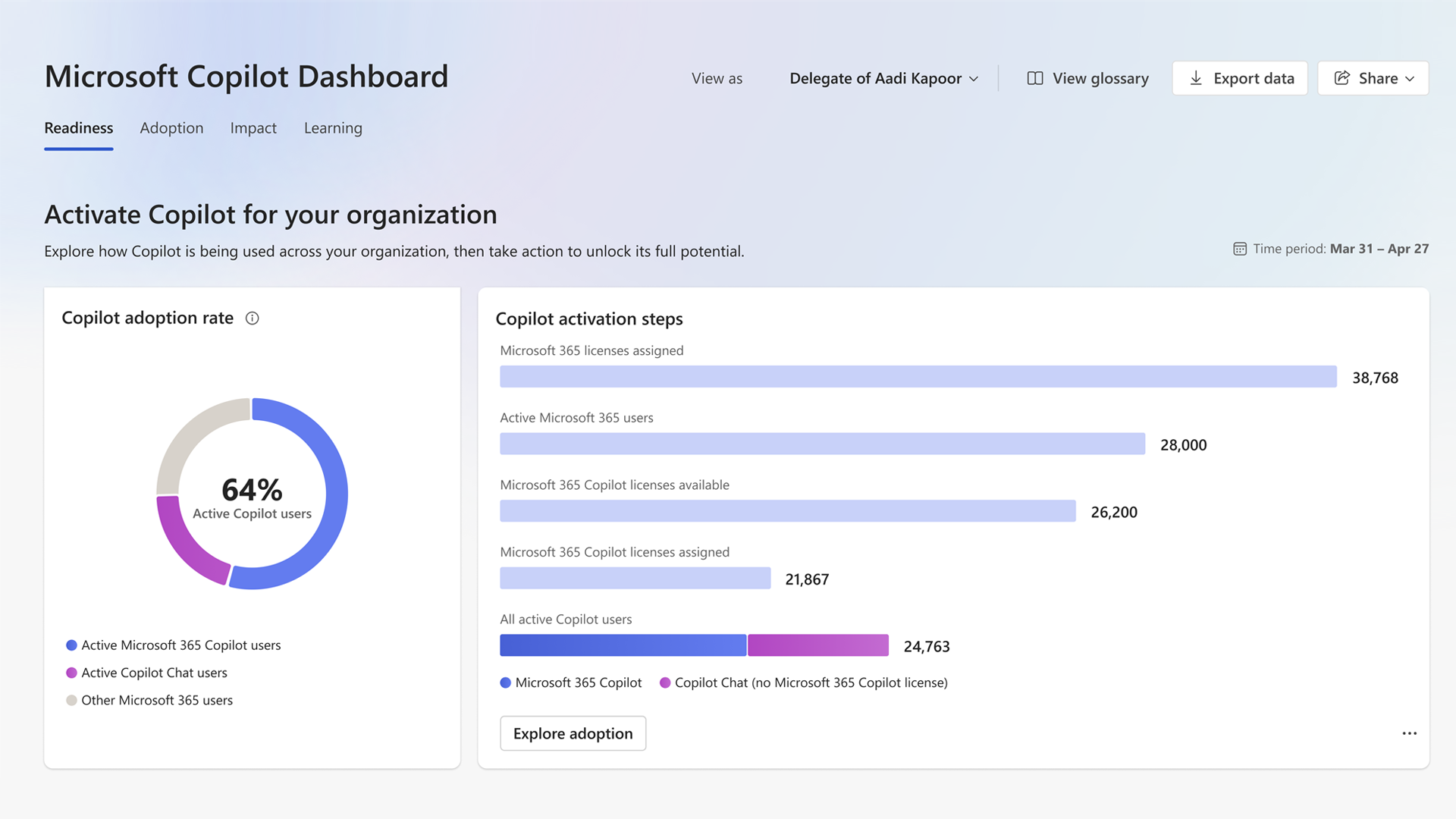
The Microsoft Copilot Dashboard in Viva Insights can add another layer of context. It provides data on how and where employees are using Copilot and includes estimates of Copilot-assisted hours and value. Copilot Analytics offers additional reporting and analysis capabilities, including the ability to analyze business outcome data alongside Copilot usage.

Connect the workflow change to business value

Knowing that a workflow improved is an important first step, but it still doesn’t tell you what that improvement means for the business.

Metrics such as selling hours per rep per week, days to first draft, or records updated tell you how the work changed. Next, connect that change to an outcome your organization cares about:

  • More selling hours may create opportunities for additional sales pipeline.
  • Faster first drafts may lower the cost of producing an asset.
  • More complete records may reduce operating costs by decreasing downstream reconciliation work.

The goal isn’t to claim that AI alone caused a business result. It’s to establish a credible connection between the workflow improvement and the result, supported by evidence.

Saving 100 hours sounds meaningful, but the business impact depends on what happened to those hours. Did sales reps spend more time with customers? Did a team produce more work? Did customer service resolve issues faster?

Translate the results into financial terms

Once you can explain how the workflow improvement contributes to a business outcome, you can begin to assess its potential financial value.

Rather than creating a new way to assign value, use a conversion method your finance team already recognizes. A sales team may use an established contribution-per-selling-hour rate, while a content team may track the cost of producing an asset.

A financial assessment will typically bring together four pieces of information:

Actual costs

The people time, incremental licenses, enablement, and other new costs associated with the initiative.

Financial value

The value of the measured improvement based on an agreed-upon conversion method.

Payback period

How long it would take for the estimated return to cover the actual investment.

Additional investment

Any new resources required for the next phase—or confirmation that additional headcount, licenses, or platforms aren’t needed.

Keep the calculation as close as possible to what you actually measured. If you measured an increase in selling hours but used a finance-approved rate to estimate the potential value of that time, distinguish the measured result from the modeled value. Every additional assumption introduces uncertainty, so avoid projecting further than the evidence supports.

See what a completed assessment looks like

Consider a sales team using Copilot for customer meeting preparation and follow-up. After 90 days, the AI leader needs to determine whether there’s enough evidence to expand the workflow to the rest of the sales organization.

This example combines Strategy Scorecard results with illustrative financial assumptions. In a real assessment, use conversion rates and costs validated by your finance team.

Measure Result
Workflow Customer meeting preparation and follow-up for 40 enterprise sales reps
Copilot usage Dashboard data shows activity in meeting summarization and follow-up drafting
Workflow metric Selling hours per rep per week
Baseline 11.5 hours
90-day target 14 hours
Actual result 13.8 hours
Business metric Revenue contribution from additional selling activity

Selling time increased by 2.3 hours per rep per week. Across 40 reps, that adds up to approximately 92 additional selling hours each week.

That’s evidence that the workflow improved, but those additional hours aren’t revenue. Estimating their financial value requires an agreed-upon method for connecting additional selling activity to a business result.

For this illustration, assume finance has approved an estimated contribution of $50 per additional selling hour. Using 46 working weeks:

Calculation Illustrative result
Additional selling hours per week: 2.3 × 40 reps 92 hours
Annualized additional selling hours: 92 × 46 weeks 4,232 hours
Modeled annual contribution: 4,232 × $50 $211,600
Actual pilot costs $18,000
Modeled payback period Approximately 1 month

The increase in selling hours is measured, while the annual contribution and payback period are modeled using the illustrative finance-approved rate. The estimate shows what that additional capacity may be worth, but it doesn’t establish that Copilot generated $211,600 in realized contribution.

Based on this evidence, the recommendation could be to expand the workflow, provided the workflow owner confirms that the additional time was spent on customer-facing work and finance accepts the conversion method. Continuing to track both selling hours and actual business results can show whether the modeled value materializes.

Make a recommendation the evidence supports

Before making a recommendation, you should be able to answer three questions:

  • Where did the result come from? What business system or report measured the workflow change? If you translated that result into financial value, where did the conversion rate come from?
  • What contributed to the result? What changed in practice, and what other factors could have influenced the metric? Avoid attributing the entire improvement to AI when the evidence doesn’t support it.
  • What remains uncertain? What assumptions are built into the financial estimate, and what would you need to measure next to validate them?

You don’t necessarily need every uncertainty resolved before moving forward. Promising operational results may justify expanding a workflow while you continue measuring the business outcome. In other cases, the uncertainty may point to a smaller next phase instead.

When the evidence is inconclusive

Not every workflow will produce a clear result by its original review date, but an inconclusive result doesn’t automatically mean the workflow failed. Ask:

Was the baseline accurate? A weak baseline can hide real improvement or make normal variation look meaningful.

Did the workflow actually change? Employees may be using AI without changing the steps that determine how quickly or effectively the work gets done.

Has enough time passed? Operational improvements may show up before the business outcomes they’re expected to influence.

For example, a team may use AI to draft responses to requests for proposals more quickly while overall response time barely changes. If legal review is still the bottleneck, expanding the drafting workflow may not solve the larger problem. Reworking that part of the process could be a better next step.

Sometimes the evidence simply points to little or no improvement. That’s useful information, too. Changing or stopping the workflow can prevent further investment in work that isn’t delivering the expected value.

Turn your results into a business impact report

At this point, you know whether the workflow improved, how that improvement connects to business value, its potential financial impact, and how confident you can be in the evidence.

The AI Leader ROI Worksheet can help you bring those pieces together in a business impact report. If you’ve been using the Strategy Scorecard, carry over your workflows, metrics, baselines, and targets, then add the actual results, financial value, costs, and payback period. If not, gather those inputs directly from the systems and teams you used for your assessment.

Use the example in the worksheet as a reference, replacing its illustrative assumptions with your organization’s actual data and finance-approved methods.

Get the AI Leader ROI Worksheet

Discover more resources for AI Leaders

Find practical guidance, tools, and prompts to help you prepare your organization for Copilot, drive adoption, and realize business value.

Explore resources
Microsoft 365 Adoption - Get Started
Microsoft Frontier Tour